How to Do Keyword Research with AI: A Practical Guide (Perplexity Sonar Workflow)

Traditional keyword tools show you search volumes from a database. AI-powered keyword research does something different: it reasons about intent, clusters related queries, and surfaces the long-tail and semantic phrases that databases miss — using live web data. This guide shows a practical AI keyword research workflow built on Perplexity Sonar, and how to feed the results directly into your content generation so keywords actually end up in the article.
Why AI Keyword Research Is Different
Classic tools (Ahrefs, Semrush, KWFinder) are excellent at volume and difficulty metrics, but they:
- return flat keyword lists you still have to interpret and cluster manually
- lag behind on new topics (no volume data = invisible keyword)
- don’t tell you what to actually write to satisfy the intent
An AI research layer with live web access — Perplexity’s Sonar models are built exactly for this — complements them by answering: What are people really asking around this topic right now? Which subtopics does a complete article need to cover? Which phrases signal topical authority to search engines?
The most effective setup in 2026 is hybrid: use a classic tool when you need hard volume numbers for prioritization, and AI research for expansion, clustering, and semantic coverage.
The 4 Outputs You Want from AI Keyword Research
For every seed topic, aim to extract:
1. Main keywords (head terms)
The 1–3 primary phrases the article targets — e.g. for this article: ai keyword research, keyword research with ai.
2. Long-tail variations
Specific, lower-competition queries with clear intent: how to do keyword research with chatgpt alternatives, ai keyword research tool for bloggers. Long-tails convert better and rank faster on newer domains.
3. Semantic / NLP phrases
Terms that co-occur in top-ranking content: search intent, keyword clustering, topical authority, SERP analysis. Including these naturally signals comprehensive coverage — this is semantic SEO in practice.
4. Question keywords (FAQ material)
The People-Also-Ask style questions: is ai keyword research accurate?, can ai replace keyword tools? These map 1:1 to an FAQ section, which is prime featured-snippet real estate.
The Perplexity Sonar Workflow, Step by Step
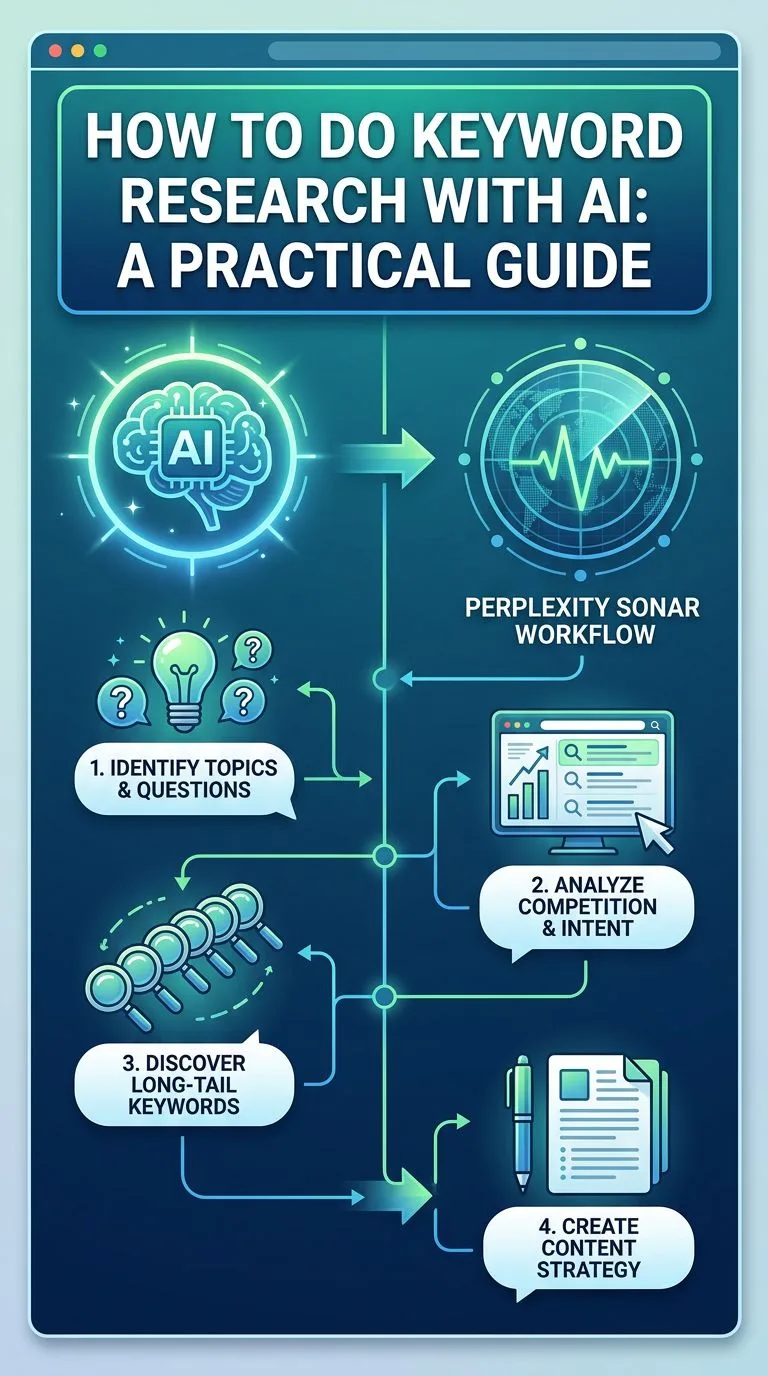
Step 1: Start from a seed topic
Take your niche topic — say, automated wordpress blogging. Sonar queries the live web, so results reflect what’s being searched and published now, not a database snapshot.
Step 2: Request the full keyword set
Prompt structure that works well:
For the topic "automated wordpress blogging", give me:
1. The 3 main keywords by likely search demand
2. 10 long-tail variations with commercial or informational intent
3. 15 semantic/NLP phrases that top-ranking articles use
4. 8 common questions people ask (for an FAQ section)
Step 3: Validate and prioritize
Cross-check the head terms in your volume tool of choice. Kill anything with intent mismatch (e.g., a keyword where every top result is a product page but you’re writing a tutorial).
Step 4: Inject keywords into generation — automatically
This is where most workflows leak value: keywords sit in a spreadsheet and never make it into the article. In SEO Content Architect, Perplexity Sonar research is a built-in pipeline step — main keywords, long-tail variations, and semantic phrases are researched per topic and inserted directly into the article generation prompt, so every article is written around its keyword set rather than having keywords sprinkled in afterwards.
Step 5: Map keywords to structure
- Main keyword → H1, meta title, first paragraph, URL slug
- Long-tails → H2/H3 subheadings
- Semantic phrases → naturally throughout the body
- Questions → FAQ section
For the on-page rules, see meta titles and structure in our Google-safe AI writing guide.
Keyword Clustering: One Article or Many?
AI research often returns keywords that look different but share intent (ai blog writer vs ai article writer — one article), and keywords that look similar but don’t (ai carousel maker vs instagram carousel size — different articles). A quick test: search both terms — if the top results overlap heavily, one article can rank for both.
Cluster before you generate, especially if you’re using a bulk generation workflow — otherwise you’ll create pages competing against each other.
Common Mistakes
- Trusting AI volume estimates — LLMs don’t know real search volumes; validate head terms in a metrics tool
- Chasing only head terms — a new domain wins on long-tails first
- Keyword stuffing the semantic list — NLP phrases should appear where natural, not force-fitted
- Researching once, publishing forever — refresh keyword sets quarterly; intent shifts
- Ignoring your existing rankings — the cheapest wins are keywords where you already rank #5–#15
FAQ
Is Perplexity Sonar better than Ahrefs or Semrush? Different jobs. Sonar excels at live-web research, intent analysis, and semantic expansion; Ahrefs/Semrush excel at volume, difficulty, and backlink data. Hybrid workflows beat either alone.
Can I do AI keyword research for free? Perplexity’s API is pay-per-use and cheap at blog scale — fractions of a cent per query with your own key, as explained in the BYOK cost breakdown.
Does this work for non-English keywords? Yes — Sonar handles 50+ languages well, which makes it particularly strong for low-competition, non-English niches.
How many keywords should one article target? One main keyword (plus close variants), 3–8 long-tails as subheadings, and 10–20 semantic phrases woven naturally into the text.
Keyword research, article generation, and WordPress publishing in one pipeline: SEO Content Architect is a Windows desktop app with built-in Perplexity Sonar keyword research. Try it free — article generation is free forever.