Desktop App vs SaaS for AI Content Creation: The Honest Comparison (2026)
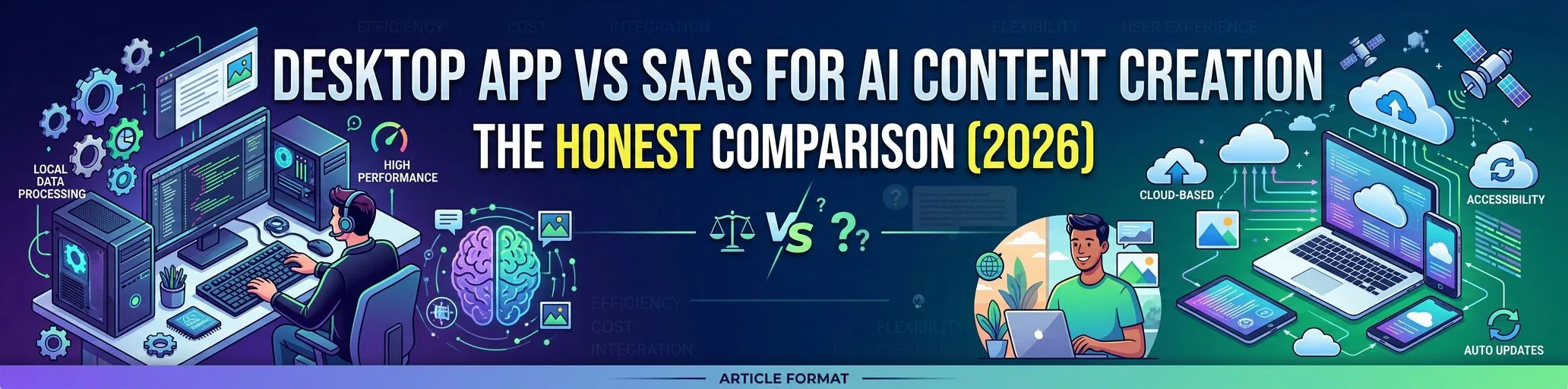
Almost every AI writing tool is a SaaS: you log into a website, buy credits, and your content lives on someone else’s servers. Desktop AI content software takes the opposite approach — the app runs on your machine, uses your own API keys, and stores everything locally. Both models have real trade-offs. Having built a desktop app in a SaaS-dominated market, here’s the honest comparison, including the cases where SaaS genuinely wins.
The Two Models in One Table
| Desktop (local app) | SaaS (web app) | |
|---|---|---|
| AI costs | Your API keys, provider prices, no markup | Credits/word limits with platform markup |
| Data location | Your machine | Vendor’s servers |
| Works offline | Partially (editing, library, exports) | No |
| Speed / UI latency | Native, no network round-trips for UI | Depends on connection and server load |
| Multi-device access | The machine(s) you install on | Any browser, anywhere |
| Team collaboration | Limited | Usually built-in |
| Updates | App updates | Instant, server-side |
| If the vendor disappears | App keeps running; your data is local | Product and data gone |
| Typical pricing | One license / flat subscription | Per-seat + usage tiers |
Where Desktop Wins
1. Cost at scale (the big one)
SaaS AI writers price by words or credits — effectively reselling you API tokens at 10–50× markup. A desktop app with BYOK (bring your own key) passes raw provider pricing through: a 1,500-word article costs $0.01–$0.15 in API usage depending on model, whether you generate 10 or 1,000 articles a month. The full cost breakdown is here.
For agencies and niche-site builders, this is decisive: your margin stays with you instead of funding the platform’s AI bill.
2. Data ownership and privacy
Client content, unpublished articles, API keys, WordPress credentials — on a desktop app they live on your machine, not in a multi-tenant database. For agencies with client confidentiality obligations, “data stays local” is often a contractual requirement, not a preference.
3. No platform lock-in
Your content library, presets, and workflows are local files you can back up and restore. If a SaaS shuts down, pivots, or 10×es its pricing (all three happened across the AI-writing space in 2024–2026), your pipeline breaks with it.
4. No per-seat, per-site, or per-word meters
Desktop economics allow flat pricing: unlimited generation, unlimited WordPress sites, no word counter anxiety. The meter is your AI provider’s — transparent and tiny.
5. Your WordPress server does zero extra work
Unlike WordPress AI plugins that run generation on your hosting (cron jobs, API calls, timeouts on shared hosting), a desktop app does all heavy lifting locally and only pushes finished articles over the REST API.
Where SaaS Wins (Honestly)
- Cross-device access. Chromebook, tablet, someone else’s laptop — SaaS works everywhere; a Windows desktop app doesn’t.
- Real-time team collaboration. Comments, shared workspaces, simultaneous editing — SaaS territory.
- Zero setup. No install, no API key creation. (Counterpoint: creating a Gemini or OpenRouter key takes ~3 minutes and is a one-time task.)
- Mac/Linux users. Most desktop AI content tools, including ours, are Windows-first.
If you’re a distributed team collaborating in-browser all day, SaaS may fit better. If you’re a solo blogger, freelancer, agency operator, or portfolio builder optimizing for cost and control, desktop is the rational pick.
The Hybrid Reality
“Desktop” doesn’t mean disconnected. A modern desktop content app still:
- calls cloud AI models (Gemini, GPT, Claude, OpenRouter) — with your keys
- publishes to WordPress and 15 social platforms over their APIs
- pulls live topic sources (RSS, Google News, trends)
The difference is where the orchestration and your data live: on your machine, under your control.
Decision Checklist
Choose desktop if you:
- publish 20+ articles/month (BYOK savings dominate)
- manage multiple WordPress sites or client sites
- care about data locality and owning your pipeline
- work primarily from one or two Windows machines
Choose SaaS if you:
- need browser access from many devices
- collaborate in real time with a team
- publish low volumes where cost differences are negligible
Comparing specific tools rather than models? Start with the best Koala AI and ZimmWriter alternatives — both camps are represented there.
FAQ
Is a desktop AI app harder to set up than SaaS? Marginally: install from the Microsoft Store, paste an API key, connect WordPress — about 10 minutes total. See the 10-minute setup tutorial.
Do desktop apps get updates like SaaS? Yes — store-distributed apps update automatically; you don’t run an old binary forever.
What happens to my subscription if I stop paying? In SEO Content Architect’s case, the free tier is permanent: article generation and editing keep working forever; Premium features (publishing automation, Social Studio, Distribution Hub) pause until you resubscribe. Your data never leaves your machine either way.
Can a desktop app automate publishing while I’m away? Yes — a local backend handles scheduling and auto-posting as long as the machine is on; here’s the full automation setup.
See the desktop model in action: SEO Content Architect — AI article generation, WordPress publishing, and social distribution in one Windows app, with your own API keys. Free on the Microsoft Store.